Manage Customer Info
Manage Customer Info
Learn how to view, update, and maintain customer information in Prosessed AI.
Overview
Once a customer is created, you may need to update or manage their details regularly.
Managing customer information ensures:
- Accurate orders and invoices
- Correct pricing and taxes
- Better relationship tracking
View Customer Details
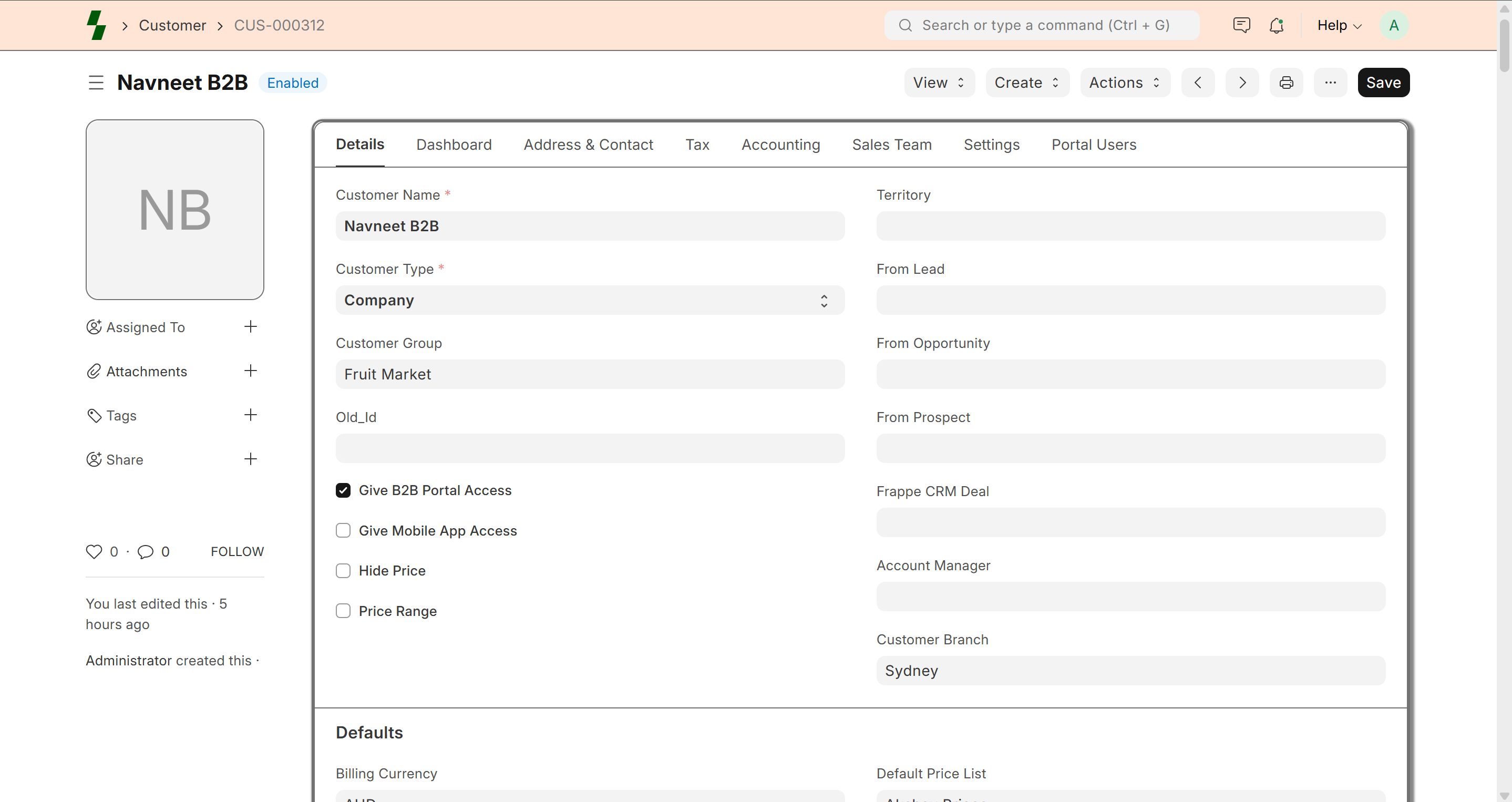
- Go to Customers → Customer List
- Search for the customer
- Click on the customer name
You will see:
- Contact details
- Address
- Pricing
- Transaction history
Edit Customer Information
To update customer details:
- Open the customer record
- Click Edit
- Update required fields
- Click Save
Common Updates
Contact Details
- Phone number
- Email address
Address
- Billing address
- Shipping address
Tax Information
- GST / VAT number
- Tax category
Pricing
- Price list
- Special rates
Manage Customer Status
You can control whether a customer is active.
- Active → Can create orders
- Disabled → Cannot be used in transactions
Manage Credit Limit
Set or update credit limits:
- Define maximum allowed outstanding amount
- Prevent orders if limit is exceeded
View Transaction History
Each customer record shows:
- Sales orders
- Invoices
- Payments
This helps track:
- Purchase behavior
- Outstanding dues
Add Notes or Comments
You can add internal notes for a customer.
Example:
- Special pricing agreement
- Payment terms
- Important instructions
Link Contacts & Addresses
You can link:
- Multiple contacts
- Multiple addresses
This is useful for:
- Large businesses
- Multiple delivery locations
Best Practices
- Keep customer data updated
- Use correct contact details
- Regularly review credit limits
- Avoid duplicate records
Common Issues
- Changes not saved → Click save after editing
- Incorrect pricing → Check price list
- Cannot use customer → Check if disabled
What Next?
- Create orders → Sales Order
- Manage payments → Payments
- Analyze customers → Reports
Last updated 6 months ago