Accounts Receivable
Accounts Receivable
Track and manage money owed by customers to your business.
Overview
Accounts Receivable represents the amount customers owe you for goods sold on credit.
It helps you:
- Monitor outstanding invoices
- Track overdue payments
- Manage cash flow
What is Accounts Receivable?
When you create a Sales Invoice and payment is not received immediately:
👉 That amount becomes Accounts Receivable
How It Works
- Create Sales Invoice
- Customer does not pay immediately
- Amount is marked as Outstanding
- When payment is received → balance is reduced
View Accounts Receivable
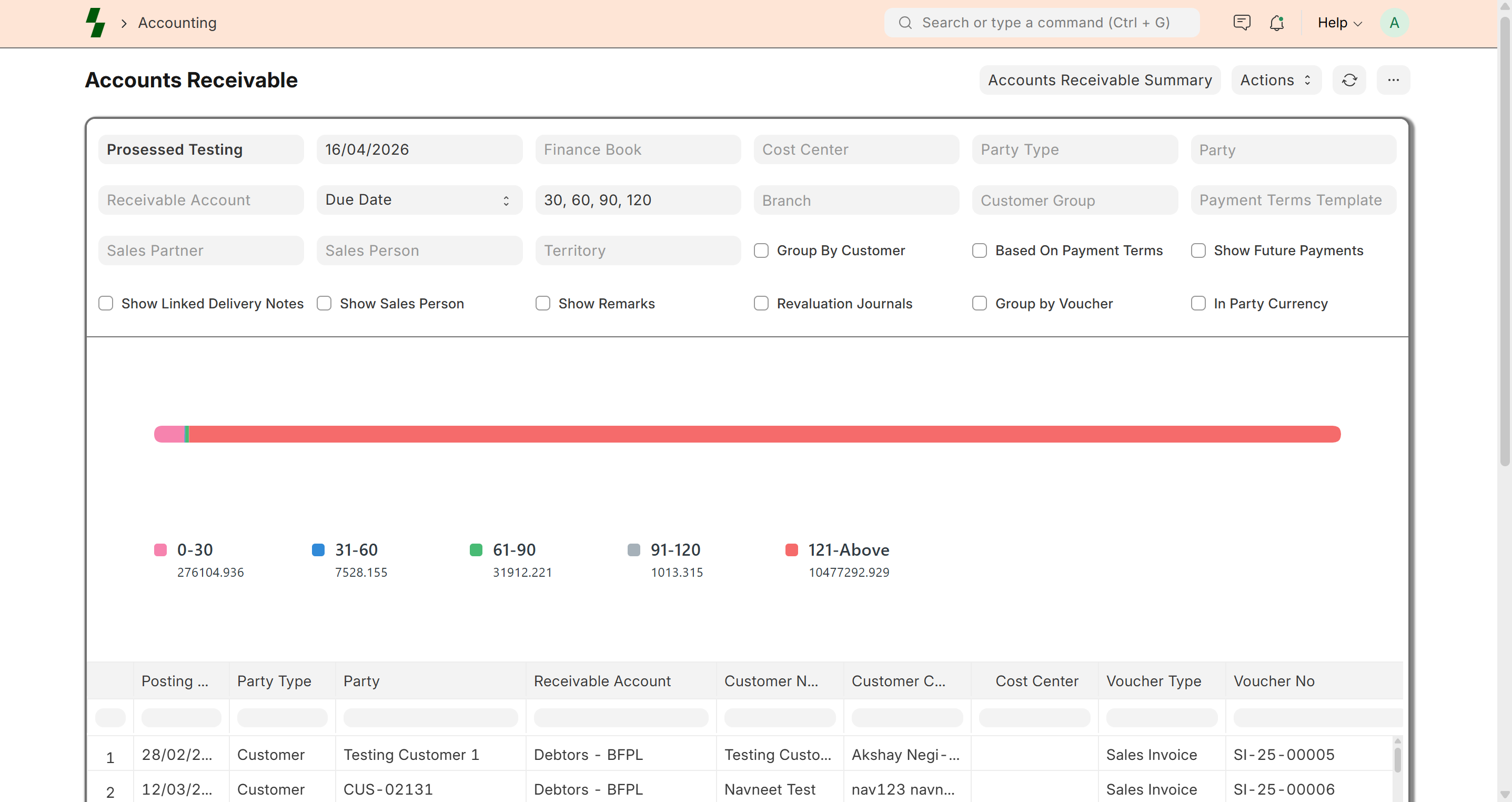
To view outstanding payments:
- Go to Accounts → Reports → Accounts Receivable
- Apply filters if needed:
- Customer
- Date
- Company
Report Details
The report shows:
- Customer Name
- Invoice Number
- Invoice Date
- Due Date
- Outstanding Amount
Aging Analysis
Accounts Receivable is grouped by aging:
- 0–30 days
- 31–60 days
- 61–90 days
- 90+ days
This helps you identify overdue payments.
Managing Receivables
Collect Payments
- Follow up with customers
- Record payment using Payment Entry
Credit Control
- Set credit limits for customers
- Avoid over-selling on credit
Monitor Overdue Invoices
- Focus on invoices past due date
- Take action early
Reduce Outstanding
To reduce receivables:
- Record payment
- Adjust using credit note
- Write off small balances (if needed)
Best Practices
- Regularly review receivables report
- Follow up on overdue invoices
- Set clear payment terms
- Use credit limits effectively
Common Issues
- Invoice still outstanding → Payment not recorded
- Wrong balance → Check payment allocation
- Overdue not tracked → Verify due date
Example
Customer: XYZ Traders
Invoice: $1000
Paid: $600
Outstanding: $400
Why It Matters
Good receivable management ensures:
- Better cash flow
- Reduced bad debts
- Strong financial control
What Next?
- Record payments → Payment Entry
- Manage invoices → Sales Invoice
- Analyze reports → Financial Reports
Last updated 6 months ago