Ledger Reports
Track all financial transactions and balances in your business.
Overview
Ledger Reports show detailed records of all financial transactions.
They help you:
- Track money movement
- Verify balances
- Audit financial data
What is a Ledger?
A ledger is a record of transactions for a specific account.
Examples:
- Customer ledger
- Supplier ledger
- Bank ledger
- Cash ledger
Types of Ledger Reports
General Ledger
Shows all transactions across all accounts.
Includes:
- Date
- Account
- Debit
- Credit
- Balance
Customer Ledger
Shows transactions for a specific customer.
Includes:
- Invoices
- Payments
- Credit notes
- Outstanding balance
Supplier Ledger
Shows transactions for a supplier.
Includes:
- Purchase invoices
- Payments made
Bank / Cash Ledger
Tracks money in:
- Bank accounts
- Cash accounts
How to View Ledger Reports
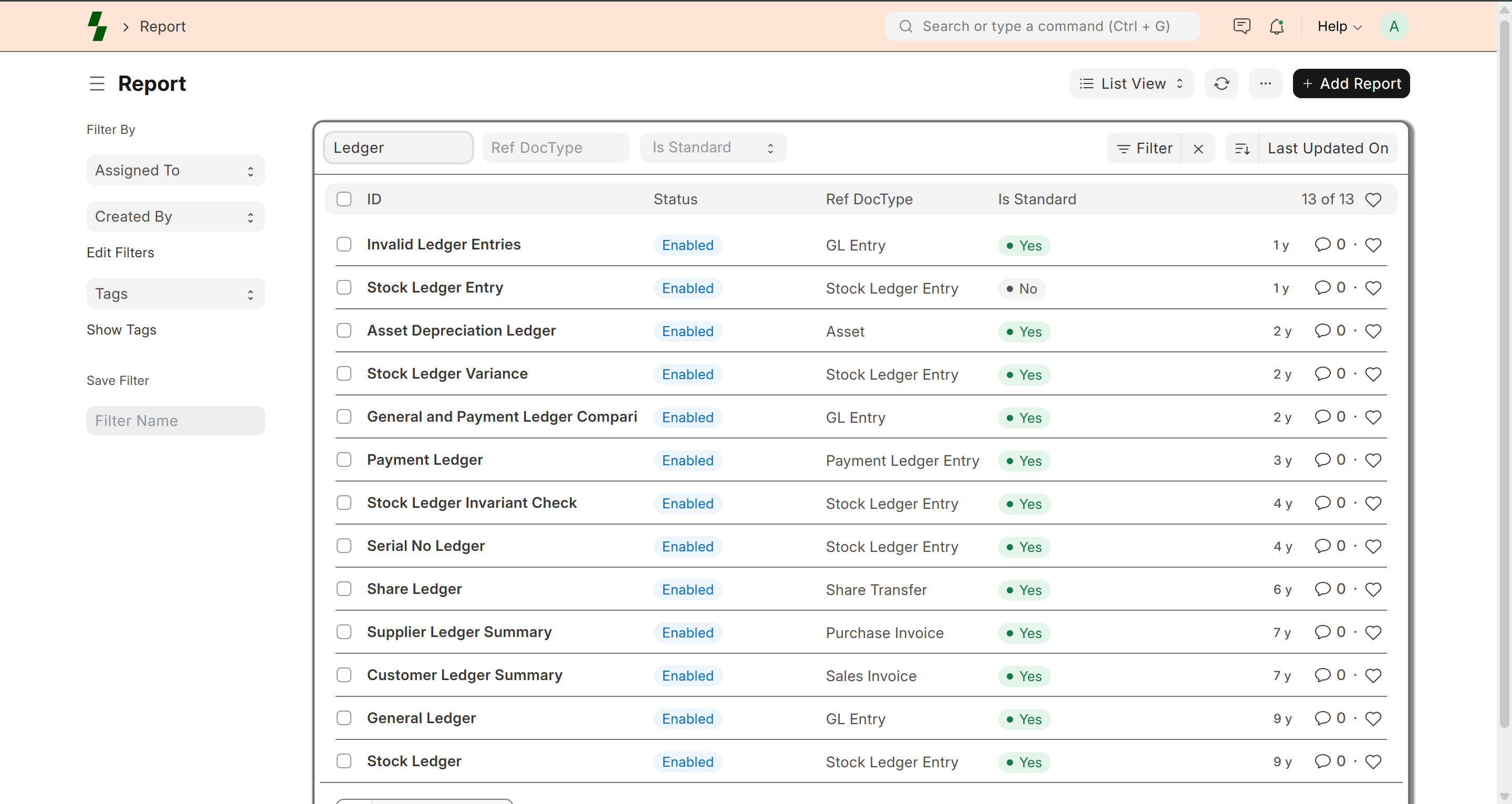
- Go to Accounts → Reports
- Select:
- General Ledger
- Customer Ledger
- Supplier Ledger
- Apply filters:
- Date range
- Account
- Party (customer/supplier)
General Ledger Details
Each entry shows:
- Posting Date
- Account
- Voucher Type (Invoice, Payment, etc.)
- Debit Amount
- Credit Amount
- Running Balance
Customer Ledger Example
| Date | Type | Debit | Credit | Balance |
|------|------|------|--------|--------|
| 01 Jan | Invoice | 1000 | - | 1000 |
| 05 Jan | Payment | - | 600 | 400 |
Key Benefits
- Full transaction visibility
- Easy audit and verification
- Helps identify discrepancies
- Supports financial reporting
Filters & Customization
You can filter reports by:
- Date range
- Company
- Account
- Customer / Supplier
Best Practices
- Review ledger reports regularly
- Verify balances with actual transactions
- Use filters for better analysis
- Reconcile bank statements periodically
Common Issues
- Incorrect balance → Check missing entries
- Duplicate entries → Verify transactions
- Mismatch in accounts → Check postings
Why It Matters
Ledger reports help you:
- Maintain accurate books
- Track financial health
- Prepare financial statements
What Next?
- Track receivables → Accounts Receivable
- Record payments → Payment Entry
- Analyze finances → Financial Reports
Last updated 6 months ago