👤 Customer Creation
🚀 Overview
Customer Creation in OrderIT allows your sales team to quickly add new customers directly from the mobile app while on the field.
This ensures:
- Faster onboarding of new customers
- Accurate data capture
- Seamless order placement immediately after creation
📍 When to Create a Customer
You should create a customer when:
- A new retailer/shop is onboarded
- A walk-in lead is converted into a customer
- Customer is not available in the existing list
📝 Steps to Create a Customer
Follow the steps below:
1. Open Customer Section
- Launch the OrderIT App
- Navigate to Customers
2. Tap on "Add Customer"
- Click on the "+" (Add) button
- Customer creation form will open
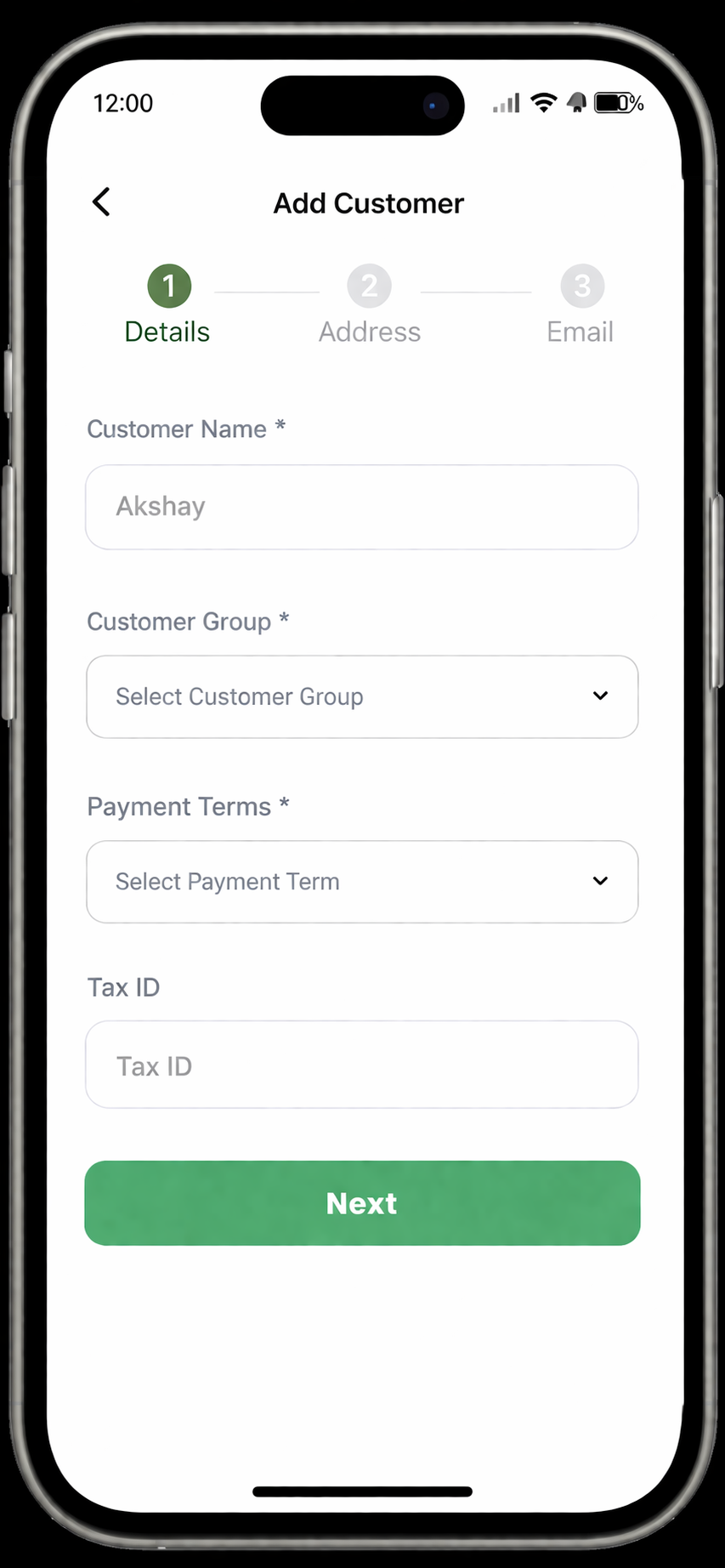 Add customer
3. Enter Basic Details
Fill in the required information:
- Customer Name
- Customer Group
- Payment Terms
- Tax ID (optional)
4. Add Address Details
Provide complete address:
- Shop / Business Name
- Area / Street
- City
- State
- Pincode
5. Set Additional Information
(Optional but recommended)
- GST Number
- Customer Group
- Territory / Area
- Price List (if applicable)
6. Save Customer
- Tap on Save
- Customer will be created successfully
🔄 What Happens Next?
- Customer becomes available for:
- Order creation
- Invoice generation
- Data syncs automatically with the backend system
⚠️ Important Notes
- Ensure mobile number is correct (used for identification)
- Avoid duplicate customer entries
- Fill GST details carefully for billing accuracy
- Sync data before creating orders
✅ Pro Tips
- Create customer on the spot during sales visit
- Double-check spelling to avoid duplicates
- Use proper customer grouping for better reporting
You can now proceed to create orders for the newly added customer.
Last updated 6 months ago