Inventory Reports
Track stock levels, movements, and inventory performance across your business.
Overview
Inventory Reports help you monitor and analyze your stock.
They provide visibility into:
- Available stock
- Stock movement
- Warehouse-wise inventory
- Item performance
Why Use Inventory Reports?
Inventory reports help you:
- Avoid stockouts and overstocking
- Track stock accuracy
- Improve purchasing decisions
- Monitor warehouse operations
Types of Inventory Reports
Stock Balance
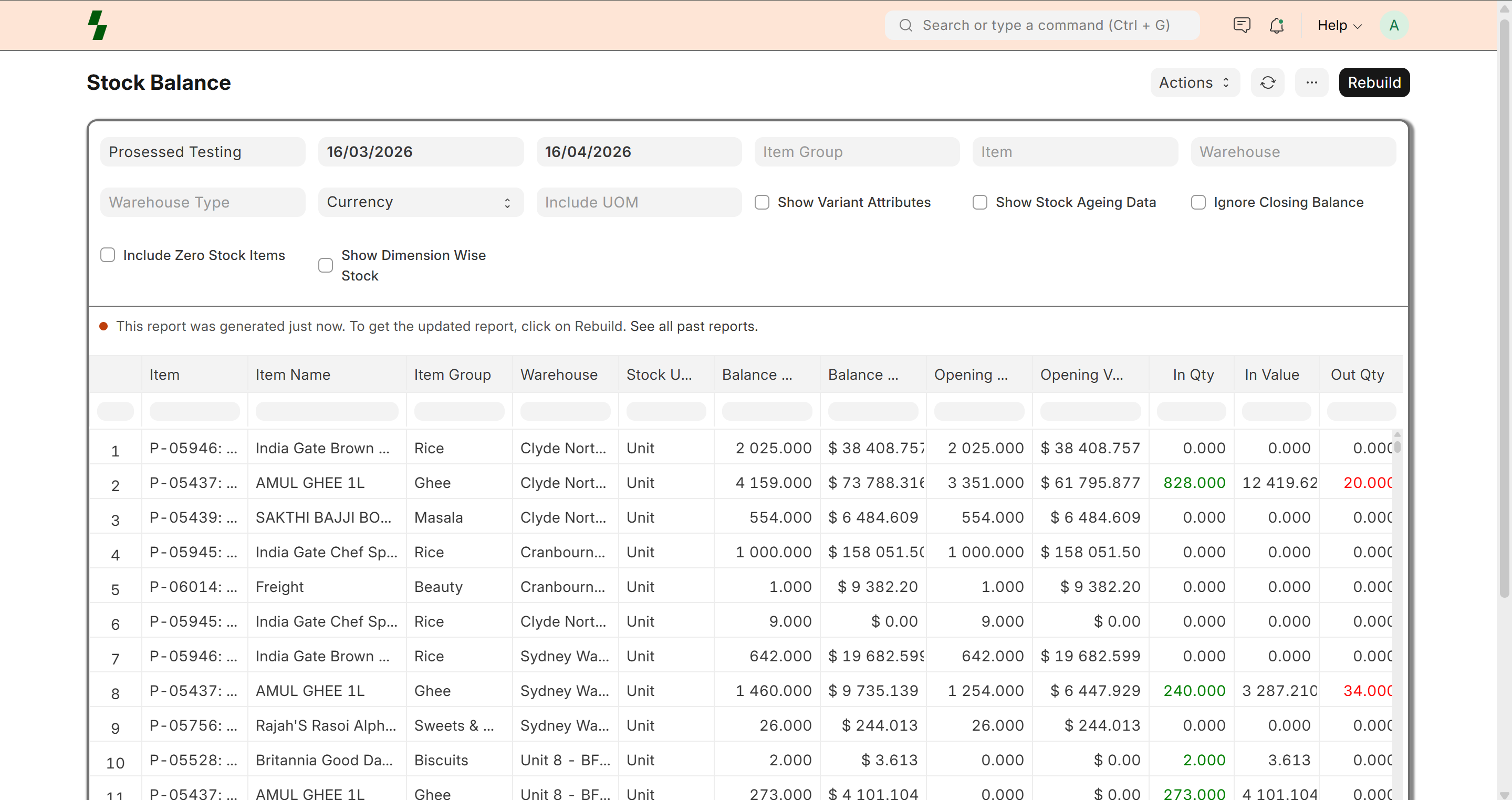
Shows current stock levels for each item.
Includes:
- Item
- Warehouse
- Quantity available
Stock Ledger
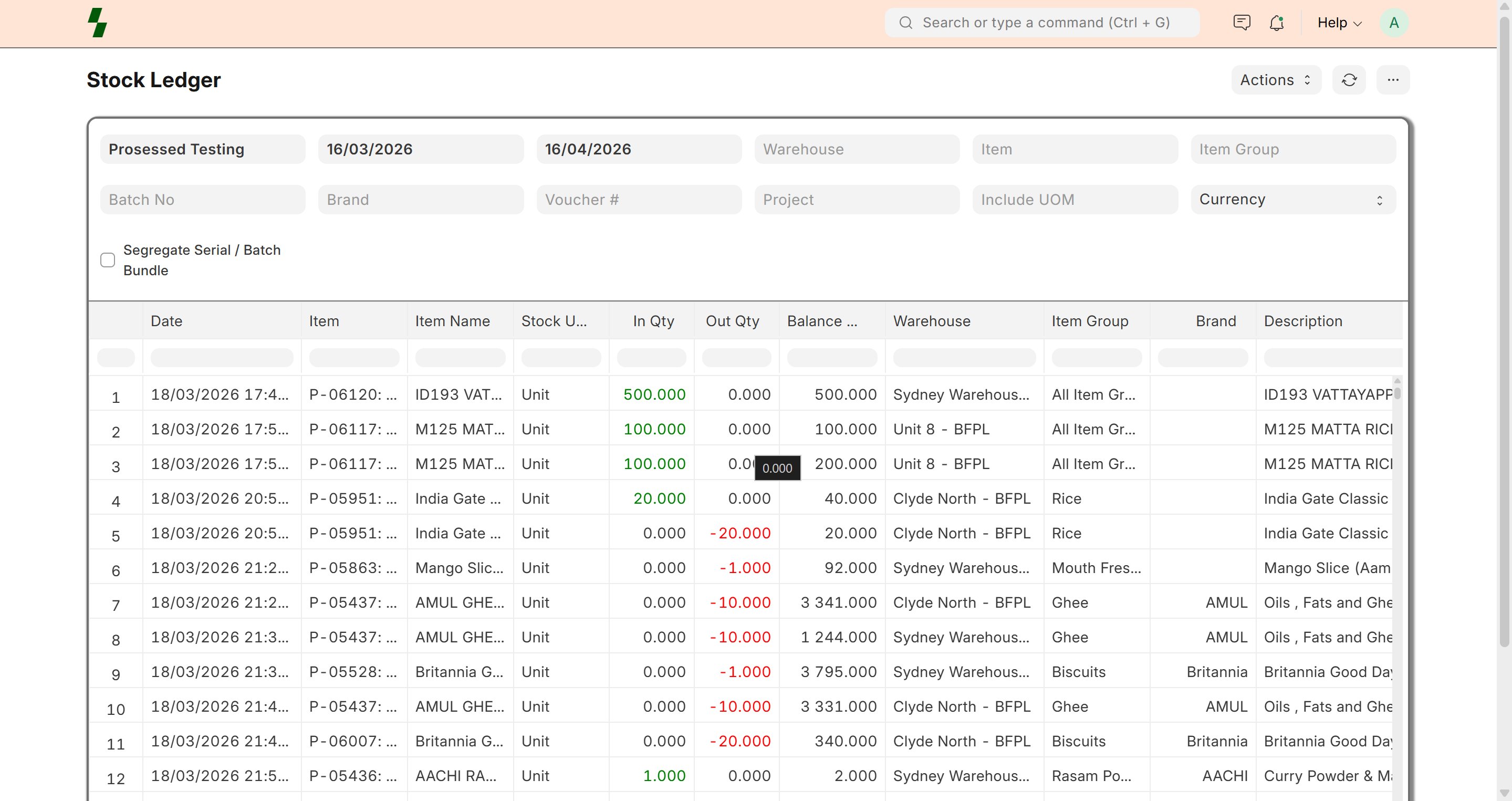
Shows detailed movement of stock.
Includes:
- Date
- Item
- Quantity change
- Transaction type (Purchase, Sale, Transfer)
Item-wise Stock Report
Shows stock summary per item.
Useful for:
- Product performance
- Stock availability
Warehouse-wise Stock
Shows stock across different warehouses.
Useful for:
- Multi-location businesses
- Inventory distribution
Batch-wise Stock (Optional)
Tracks stock by batch.
Useful for:
- Food products
- Expiry-based items
How to View Reports
- Go to Inventory → Reports
- Select required report:
- Stock Balance
- Stock Ledger
- Item-wise Stock
- Apply filters:
- Date range
- Warehouse
- Item
Key Metrics
Inventory reports provide:
- Available quantity
- Incoming stock
- Outgoing stock
- Closing balance
Real-Time Updates
Inventory reports update automatically when:
- Stock is received (Purchase Receipt)
- Stock is sold (Delivery / Invoice)
- Stock is transferred (Stock Entry)
Use Cases
- Check stock before creating order
- Identify fast-moving items
- Plan restocking
- Audit inventory
Best Practices
- Review reports regularly
- Use filters for better analysis
- Monitor low-stock items
- Verify stock during audits
Common Issues
- Incorrect stock → Check stock entries
- Missing data → Verify transactions
- Wrong warehouse → Check filters
Example
Item: Cheese Makhana
Warehouse: Main Warehouse
| Metric | Value |
|-------|------|
| Opening Stock | 100 |
| Incoming | 50 |
| Outgoing | 30 |
| Closing Stock | 120 |
Why It Matters
Inventory reports help you:
- Maintain accurate stock
- Reduce losses
- Improve decision-making
Last updated 6 months ago