Pick Lists
Learn how to create and manage pick lists for efficient order fulfillment.
Overview
A Pick List is used to collect items from the warehouse for a sales order.
It helps warehouse teams:
- Know what items to pick
- Know from which warehouse/bin
- Prepare orders accurately
Why Use Pick Lists?
Pick Lists help you:
- Reduce picking errors
- Speed up order fulfillment
- Organize warehouse operations
- Track picked quantities
When to Use Pick List?
Use a pick list when:
- You receive a sales order
- You need to prepare items for delivery
- You want structured picking process
Pick List Flow
Pick List is part of the order process:
Sales Order → Pick List → Delivery → Invoice
Create a Pick List
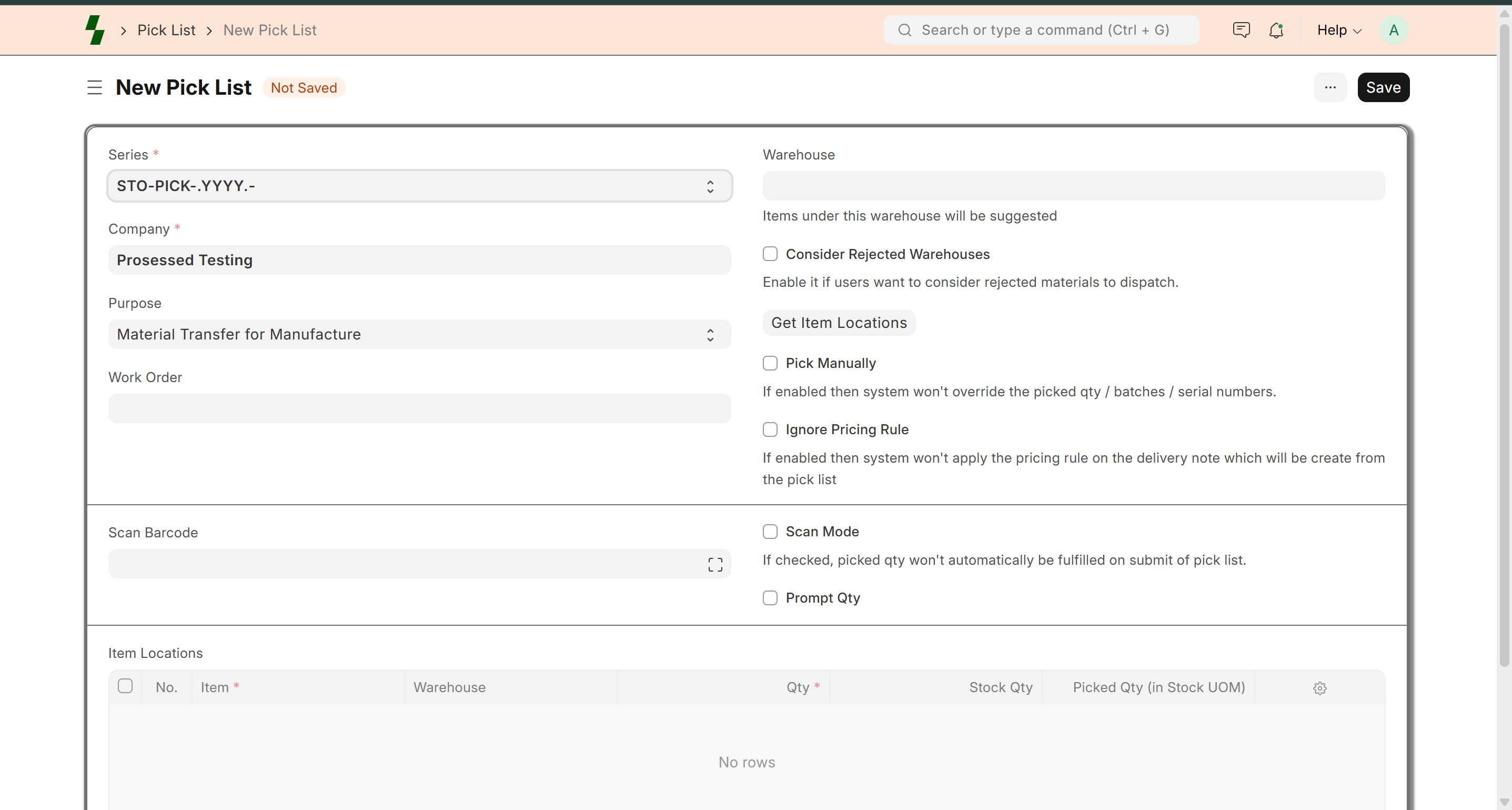
- Go to Stock → Pick List
- Click Add New
Select Sales Order
- Choose the sales order
- System auto-fetches items and quantities
Get Item Locations
Click Get Item Locations
System will:
- Suggest warehouse
- Suggest bin/location
- Show available stock
Pick Items
Warehouse staff will:
- Go to suggested location
- Pick items
- Verify quantity
Update Picked Quantity
- Enter actual picked quantity
- Adjust if needed
Save and Submit
- Click Save
- Click Submit
Pick list is completed.
Partial Picking
You can pick items partially.
Example:
- Ordered: 100 units
- Picked: 70 units
Remaining items can be picked later.
Multi-Warehouse Picking
If stock is in multiple warehouses:
- System suggests multiple locations
- Picker collects from different warehouses
Status of Pick List
- Draft → Not submitted
- Submitted → Ready for delivery
- Completed → Fully picked
Benefits of Pick Lists
- Accurate order preparation
- Faster warehouse operations
- Reduced stock errors
- Better tracking
Best Practices
- Always use “Get Item Locations”
- Verify stock before picking
- Avoid manual picking without system
- Train warehouse staff properly
Common Issues
- Item not found → Check warehouse stock
- Wrong quantity picked → Verify before submit
- Pick list not generating → Check sales order
Example
Sales Order: SO-001
Items:
- Cheese Makhana (10 cartons)
👉 Pick list generated for warehouse picking
What Next?
- Deliver items → Delivery Note
- Generate invoice → Sales Invoice
- Track stock → Inventory
Last updated 6 months ago