User & Access Management – Add New User
Learn how to add users and control what they can access in Prosessed AI.
Overview
User management allows you to give your team access to the system while controlling what they can see and do.
Each user can be assigned a role based on their responsibility.
This helps:
- Protect sensitive data
- Avoid mistakes
- Improve accountability
Who Can Create Users?
Only users with Admin access can:
- Add new users
- Assign roles
- Manage permissions
Steps to Add a New User
- Go to → Users List
- Click on Add New User
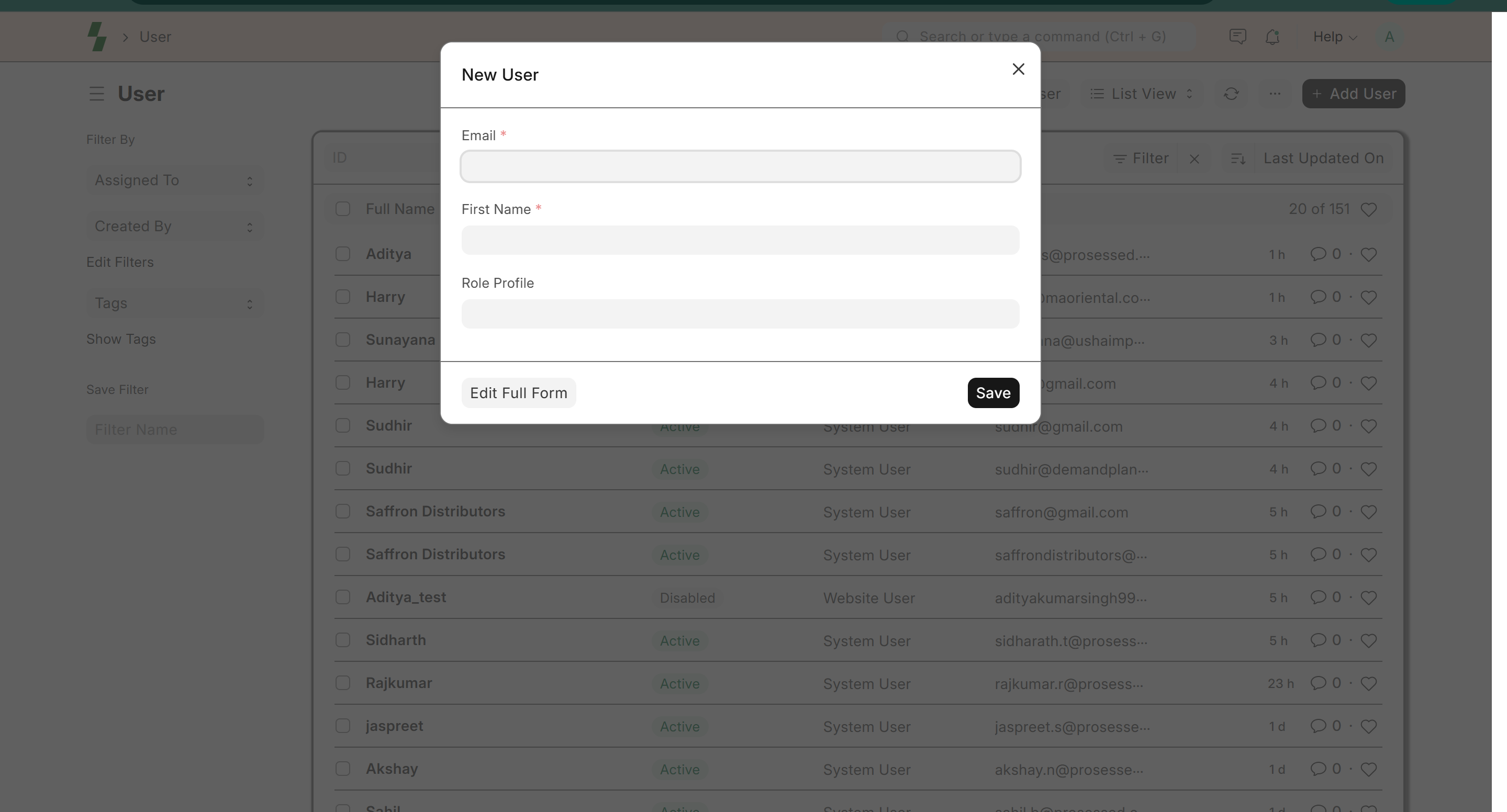
- Enter user details:
- Full Name
- Email Address
- Role Profile (Optional)
- Save the user
The user will receive login access to the system.
Common Roles
Admin
- Full access to all modules
- Can manage users and settings
Sales User
- Create and manage sales orders
- View customers and products
Accounts User
- Manage invoices and payments
- Access financial reports
Operations User
- Manage inventory and stock
- Handle warehouse activities
Role-Based Access (Important)
Each role defines what a user can:
- View
- Create
- Edit
- Delete
Example:
- Sales team → cannot access financial reports
- Accounts team → cannot modify inventory
Best Practices
- Give minimum required access
- Avoid giving Admin access to all users
- Create separate users for each employee
- Regularly review user permissions
Password & Login Management
- Users can reset passwords using email
- Encourage strong passwords
- Disable access when an employee leaves
Deactivating a User
Instead of deleting a user:
- Open the user profile
- Disable the user
This ensures:
- Data history is preserved
- Audit trail remains intact
Common Issues
- User cannot login → Check email and password
- Missing access → Verify assigned role
- Cannot see data → Check permissions
What Next?
- Learn about Roles & Permissions
- Manage customers → Customer Management
- Create orders → Sales
Last updated 6 months ago